M78
NGC 2068, NGC 2071, NGC 2064, NGC 2067, Casper the Friendly Ghost Nebula
47’ x 31’ | 0.3”/px | 9457 × 6269 px | full resolution
Orion
RA 05h 46m 49s Dec +00° 05’ 50” | -100°
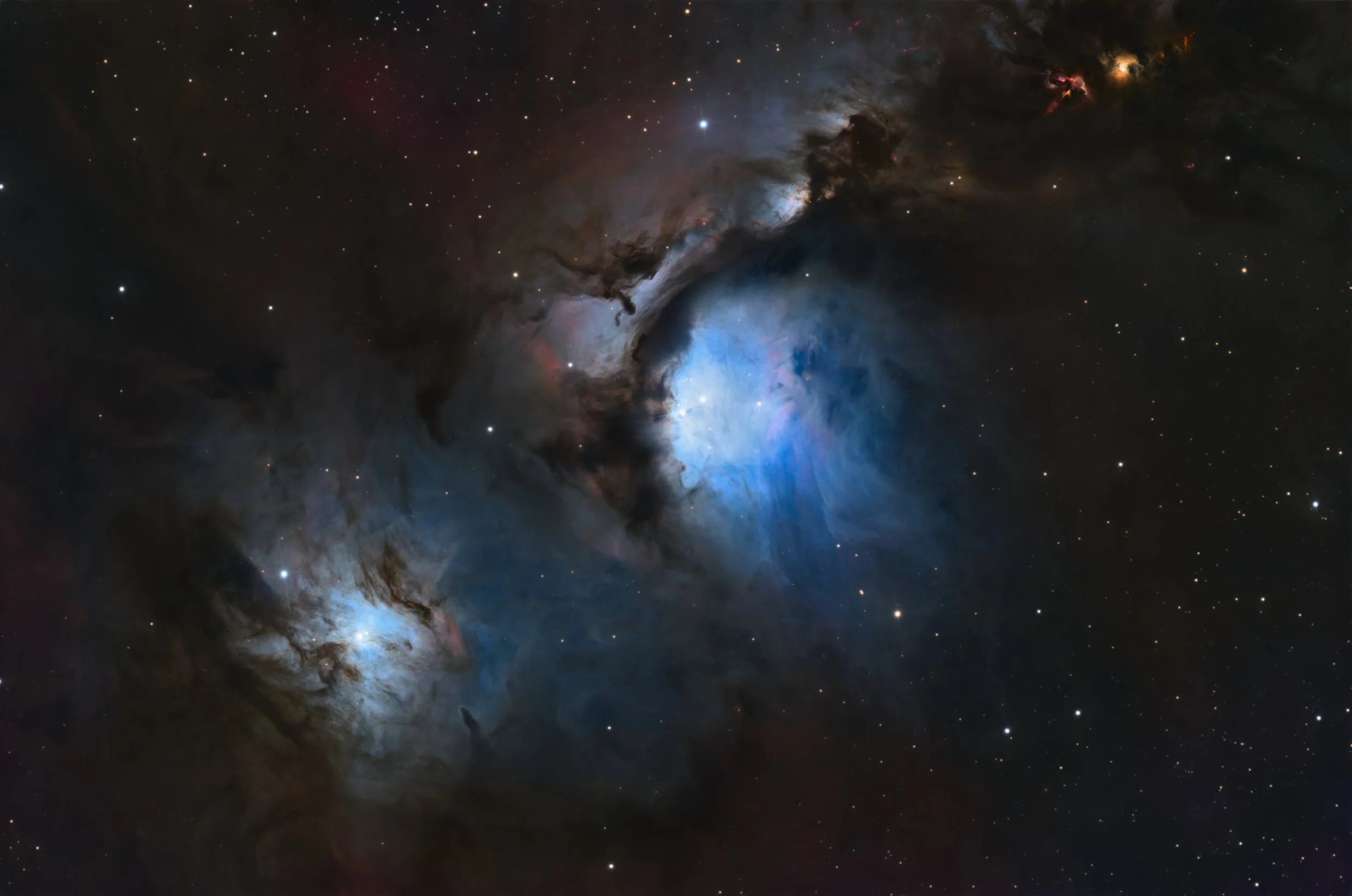
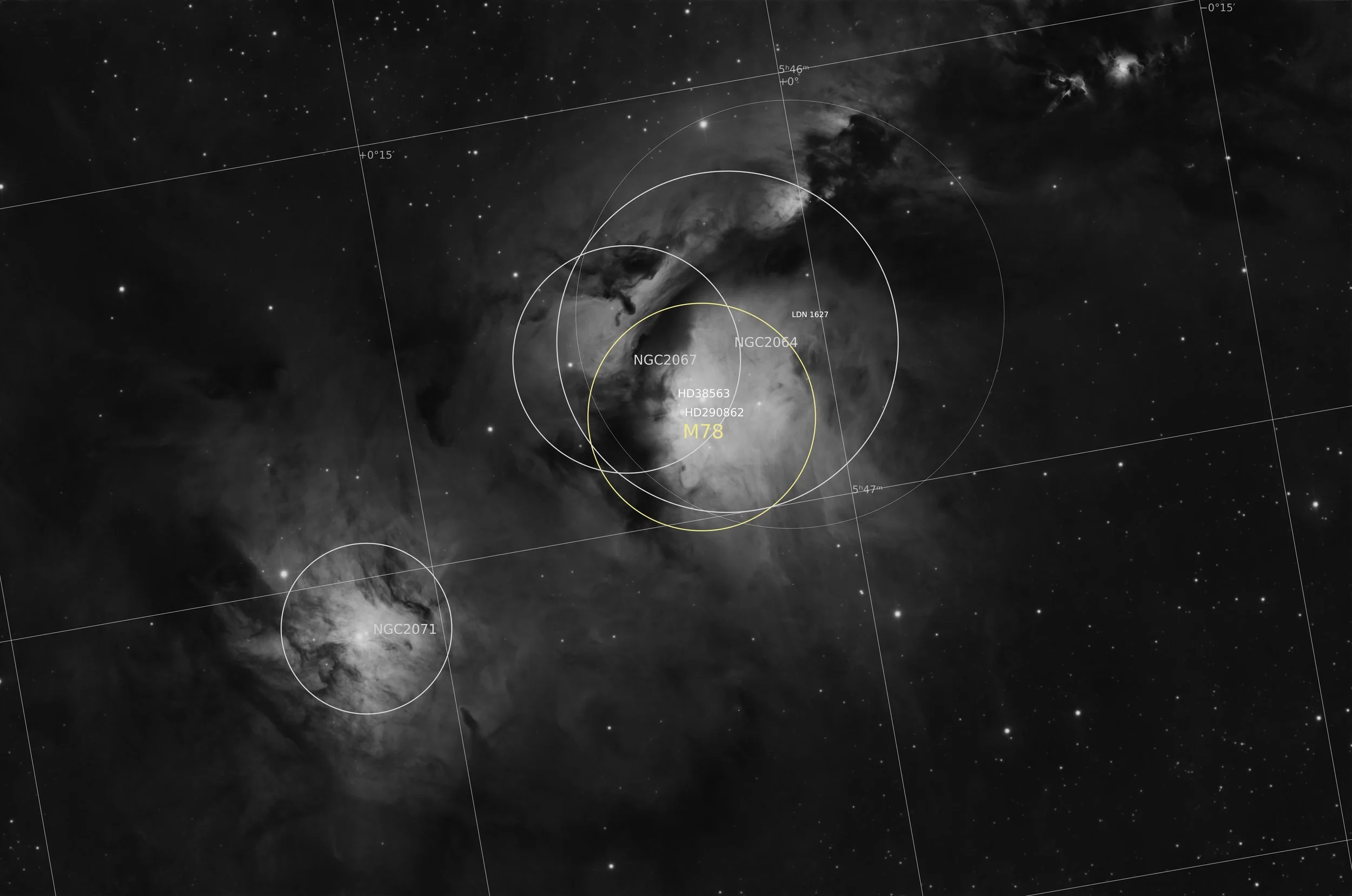
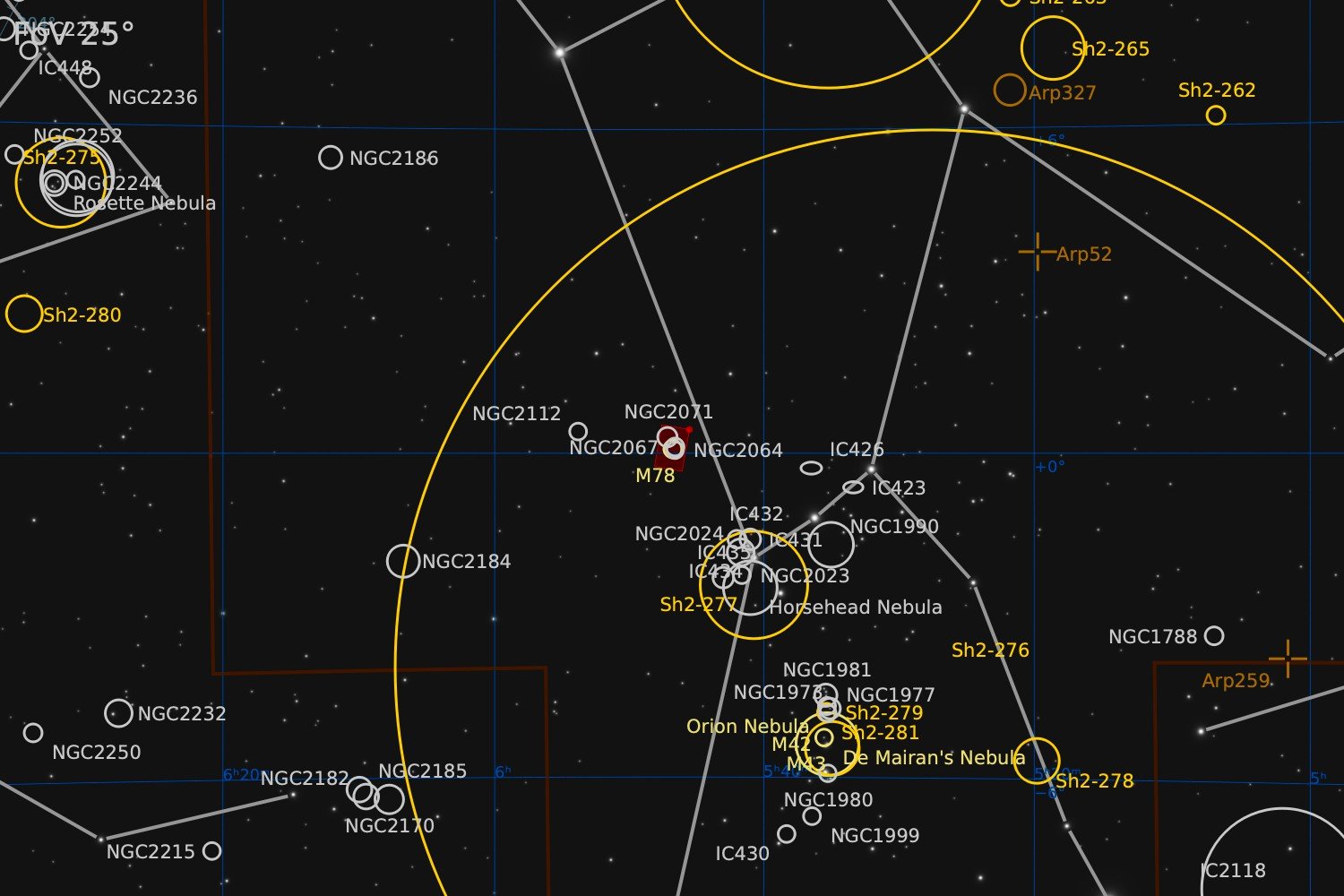
Messier 78, also known as NGC 2068 is a reflection nebula in the constellation Orion. It is the brightest diffuse reflection nebula in a group that includes NGC 2064, NGC 2067, and NGC 2071, all part of the Orion B molecular cloud complex. Located approximately 1,350 light-years from Earth, M78 is visible in small telescopes as a hazy patch illuminated by two B-type stars, HD 38563 A and HD 38563 B, of 10th and 11th magnitude. It is a popular target for amateur astronomers, who have given it the common name Casper the Friendly Ghost Nebula. Discovered by Pierre Méchain in 1780, M78 was included in Charles Messier's catalog of comet-like objects that same year. The nebula's dust cloud reflects light from its two central stars, making it visible. Infrared observations reveal an embedded star cluster and a hierarchy of gas clumps with core masses ranging from 0.3 to 5 Sun Masses. On May 23, 2024, the European Space Agency released a high-resolution image of M78 from the Euclid mission, revealing hundreds of thousands of previously unseen objects, including substellar bodies.
source: Wikipedia
Data Acquisition
Data collection was started during three sessions in March 2025 and completed during eight sessions from October 2025 until January 2026. Images were collected using a 14” reflector telescope with full-frame camera at the remote observatory in Spain. Data was gathered using standard LRGB filters. A total of approximately 19 hours of data was finally combined to create the final image.
Location Remote hosting facility IC Astronomy in Oria, Spain (37°N 2°W)
Sessions
Frames
Equipment
Telescope
Mount
Camera
Filters
Guiding
Accessoires
Software
Planewave CDK14 (2563mm @ f/7.2), Optec Gemini Rotating focuser
10Micron GM2000HPS, custom pier
Moravian C3-61000 Pro (full frame), cooled to -10 ºC
Chroma 2” LRGB unmounted, Moravian filterwheel L, 7-position
Unguided
Compulab Tensor I-22, Dragonfly, Pegasus Ultimate Powerbox v2
Voyager Advanced, Viking, Mountwizzard4, Astroplanner, PixInsight 1.9.3
Processing
All processing was done in Pixsinsight unless stated otherwise. Default features were enhanced using scripts and tools from RC-Astro, SetiAstro, GraXpert, CosmicPhotons and others. Images were calibrated using 50 Darks, 50 Flats, and 50 Flat-Darks, registered and integrated using WeightedBatchPreProcessing (WBPP). The processing workflow diagram below outlines the steps taken to create the final image.
There was a lot of dynamic range in the luminance channel. To bring out maximum amount of detail with optimal sharpness, a combination of several tools was used. Several CurvesTransformation contrast s-curves were applied. LocalHistogramTransformation was applied twice, to enhance both smaller and larger structures. And finally HDRMultiscaleTransform was used to bring down the brightness in the heart of the nebula a bit, so that colour and structure were not overblown by too much lightness.
One or two of the bright stars had a slight green and magenta tint in portions of their halos. My regular approach would be to apply SCNR on both the regular and the inverted image. But SCNR is a bit of a heavy-handed tool. This time, a tiny correction in the Green and the Red channel of CurvesTransformation had the same effect and could be dialled in much more careful.
The background appears to have some colour as well. I chose not to focus attention too much on this. For that, adding Ha would probably a better option. For some reason, in the bottom-right corner there was a real purple cast in the background. This was unlikely to be an actual feature, and probably more a processing artefact. Perhaps the background extraction did not treat all three colour channels properly. It was easy to remove though. A mask was created for this particular colour and with the mask in place, the curves transformation adjustments were made in the red and blue channel to correct the colour cast.
When comparing with some other images on Astrobin, it appeared that warming up the overall colours would do well on this image. This effect was achieved using the CIE-c* channel in CurvesTransformation.
Quite a few extra steps, but the general underlying workflow was fairly similar to other LRGB images, as shown in the diagram below.
Processing workflow (click to enlarge)
This image has been published on Astrobin and received Top Pick status.